[070] How to Split Procedural Windows and Facades in CityEngine
Continuing from the last session, we will keep splitting facade 0.
Below is an image to use as a reference for the measurements.
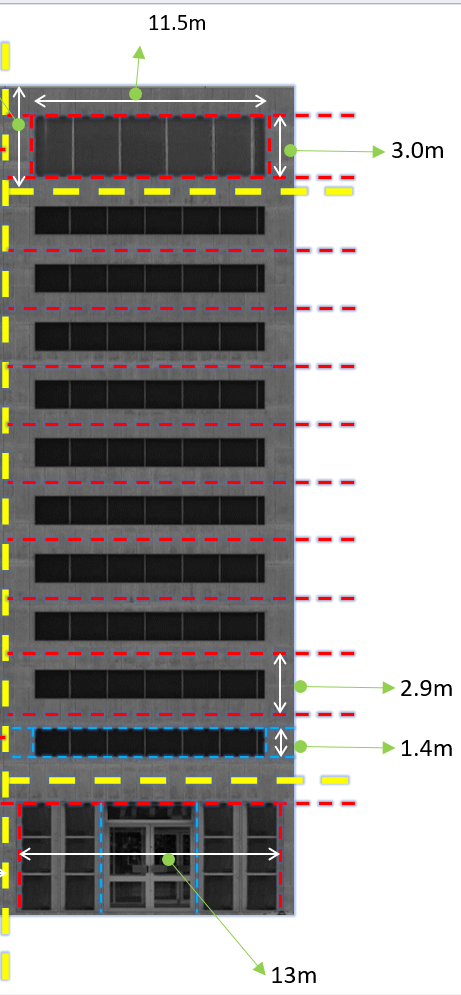
Among the code we wrote last time, the part corresponding to the ground floor is as follows.
Front_f_Ground_f_wall -->
    split(x){~1 : X. | 13 : Front_f_Ground_f_wall_door | ~1 : X.}
                            # ↑ The section where the door is located
Now we will subdivide Front_f_Ground_f_wall_door.
It looks like it is arranged as 'two windows - door - two windows'.
Then let's split it up.
Front_f_Ground_f_wall_door -->
    split(x){~4.5 : color(0,0,1) FFGWD_window | ~5 : FFGWD_door | ~4.5 :  color(0,0,1) FFGWD_window}
    #In case the window sizes might change, I split everything using approximate values.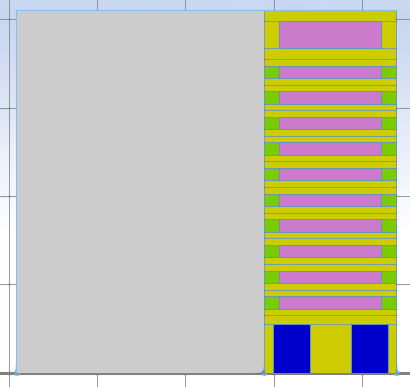
The blue area where the windows are located is where two windows go, so we split it once more.
FFGWD_window -->
    split(x){'0.5 : FFGWD_window_final | '0.5 : FFGWD_window_final }
    #Since this area is divided into 2 equal parts, it is fine to split by ratio.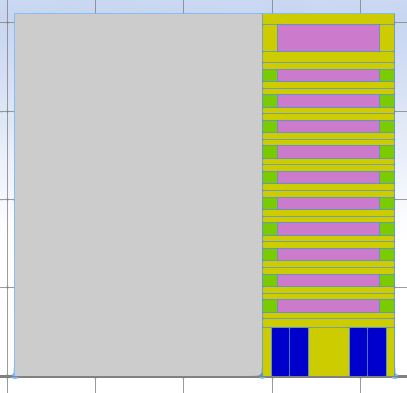
That completes the ground-floor split of facade 0.
Now we will split the window area of the middle floors.
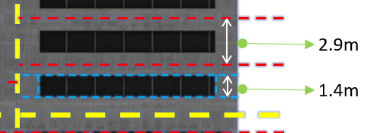
The code for the area where the windows will go is Front_f_Upper_f_Wall_Window_Frame on line 38.
Front_f_Upper_f_Wall  -->
    split(y){~1 : X. | 1.4 : color(0.5, 1, 0,5) Front_f_Upper_f_Wall_Window_Part | ~1 : X.}
    # Split so that the windows are located at the middle height of each floor. They are distinguished with light green.

Front_f_Upper_f_Wall_Window_Part -->
    split(x){~1 : X. | 11.5 : color(1,0.5,1) Front_f_Upper_f_Wall_Window_Frame | ~1 : X.}
    #The part where the windows are located is marked in light purple.
The window area has 6 windows installed.
You can split it in two ways.
The first is to measure the width of each window and split using approximate values.
The second is to use the scope size of that area.
Since we have learned about scope, we will use the scope size to divide the windows into 6.
Front_f_Upper_f_Wall_Window_Frame -->
    split(x){scope.sx/6 : FFUFWWF_final}*
    #Divide the x length of the scope by the number of windows, then repeat.
If there were 7 windows installed, you would divide scope.sx by 7 and then repeat.
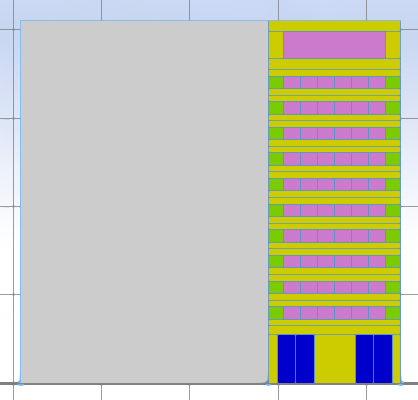
The middle-floor split is done.
Now we will start on the roof floor.
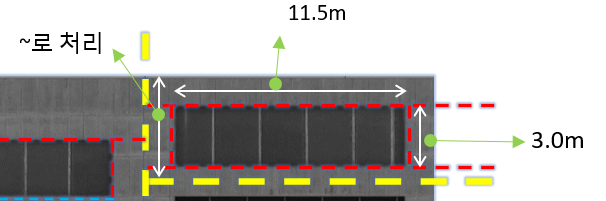
The rule for the roof floor is Front_f_Roof_f_Wall_Window_Frame.
Front_f_Roof_f_Wall_Window_Part -->
    split(x){~1 : X. | 11.5 : color(1,0.5,1) Front_f_Roof_f_Wall_Window_Frame | ~1 : X.}
    #The part where the windows are located is marked in light purple.
The window split does not look normal in the image.
I'll just divide it into 5.
We split it using scope.sx, the same method as for the middle floors.
Front_f_Roof_f_Wall_Window_Frame -->
    split(x){scope.sx/5 : FFRFWWF_final}*
    #Divide the x length of the scope by the number of windows, then repeat.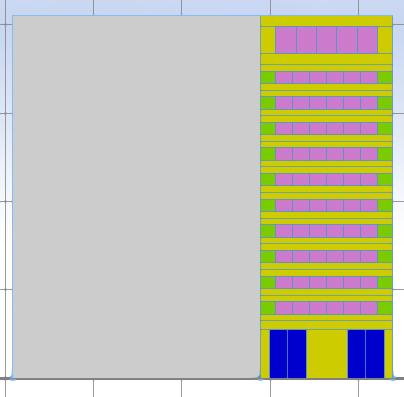
Okay. The split of facade 0 is now finished.
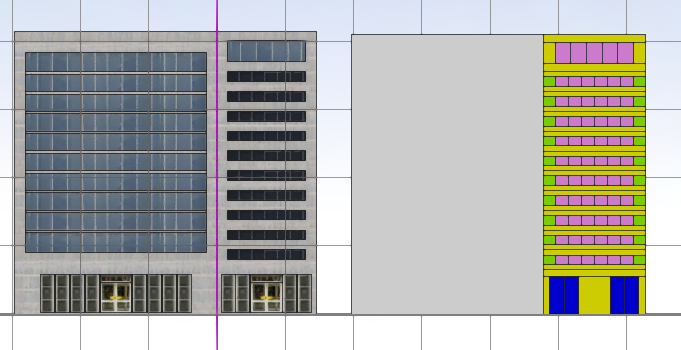
They look similar.
We still have 5 more faces to go.
We'll continue step by step, one at a time, in the next session too.
That's all for today.
- Learn previous workflow in [069] How to Split Facades and Floors for Procedural Buildings
- Continue learning with [071] How to Code Asymmetrical Facade Splits in Esri CityEngine


Comments
Post a Comment
Feel free to leave a comment if you have any questions about Global Mapper or CityEngine. I will get back to you with a sincere response as soon as possible. (Please note that all comments are moderated and manually approved to maintain a high-quality community. Promotional or spam content will not be published.)